Hey all you Plus controller owners, I need some answers. I have a Plus Controller and the power upgrade board. However, when the controller is powered from the CNC it is limited to 50% brightness. Here are the screen brightness page and the version page which shows the voltage. Are you seeing this? I asked support and sent them these photos but have not gotten any response.
If that is how it is supposed to be I am cool with it but if I have an issue I want to know now and not find out later when the warranty is gone.
I just heard back from support and this is the expected behavior. The CNC board is limited in the power it can deliver even with the fix.
If you need full brightness you will need a USB-C supply that can deliver over 3 amps at 5 volts. Do NOT go by the wattage of the supply. You must check the amperage output at 5 volts specifically. USB-C can operate at several different voltage levels so even if the supply has enough power overall, it does not mean the supply will deliver it at 5 volts. Attached are 3 supplies. A 90 watt, a 112 watt and a 130 watt. One would think the 130 watt would supply the 3 amps at 5 volts. But if you look close you will see that it is limited to 1 amp at 5 volt.
Just an addendum to what Doug found-
USB-C is a negotiated power delivery system. It used to be just 5, 9, 15, and 20 Volts. There are now many changes and power delivery (PD) can be up to 48 Volts at 5A (240W). Power Delivery (the negotiation) does not need to be implemented, however, and all USB-C power supplies will default to 5 Volts so legacy devices are not damaged. You’ll notice that all the power supplies that Doug presented show the 20 Volt power as the supply’s rated power. This is because it is the MOST power you will ever get out of that supply. If there are separate ports that are supplied independently, then you total all power from all ports. The 112W supply he posted is a good example of this (20V x 5A + 5V x 2.4A = 112W).
The AD uses legacy voltage (5V) and queries the supply. That’s how it knows the external power supply’s capability. If you use a power supply that does not negotiate, the AD will assume it is a legacy supply incapable of the required power and that is when you start getting warnings about limited brightness (20%) and you will not be able to increase the brightness setting to full brightness, which is actually 50%.
The highest brightness of the new controller screen is still capped at 50% no matter what size power supply you use. You won’t get any warnings, but 100% brightness in the settings is not truly 100%. You can prove this to yourself if you step through the intensities, you will start at 10% and notice an increase in intensity at every 10% step until you get to 50%… then 60, 70, 80, 90, and 100% will show no increase in intensity: Capped at 50% no matter how much power your supply is capable of providing.
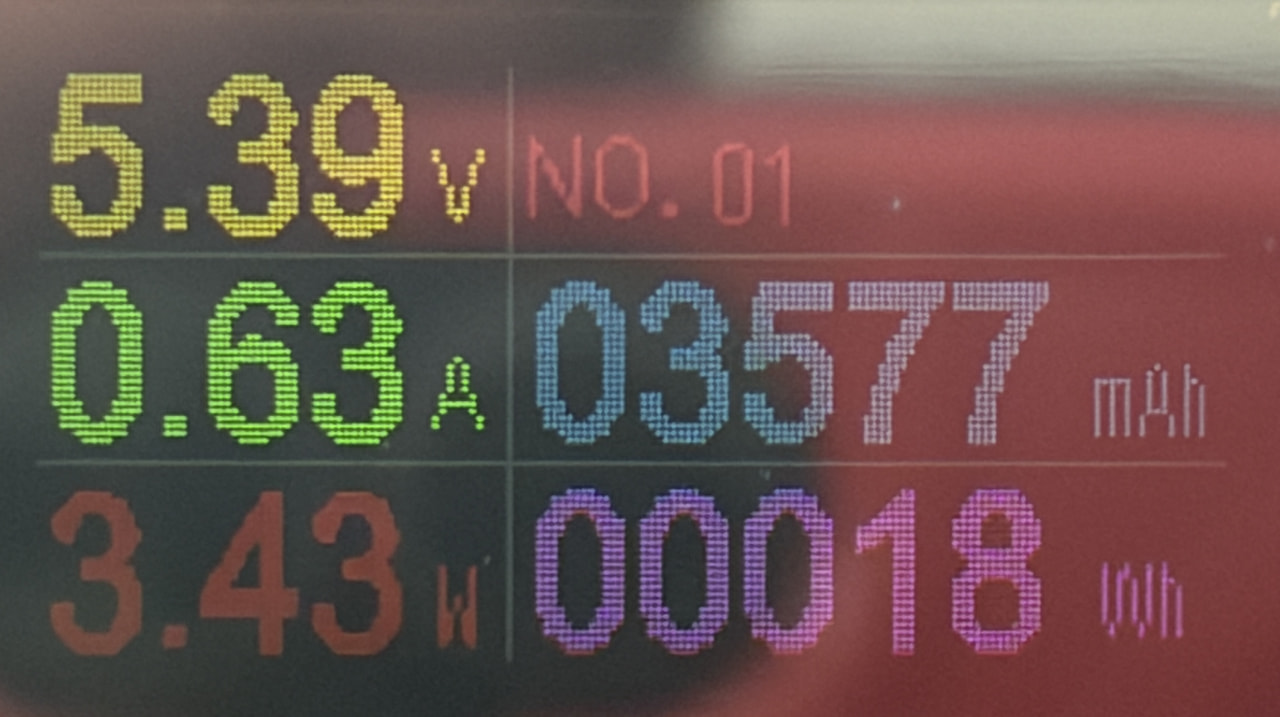
I’m unsure where the 3A minimum comes from. From my empirical test, I have no issue running full brightness (50%) with a 1A legacy supply. Test meter shows a 3 Watt consumption, not a 3 Ampere consumption. (see image) When I switch to a 3A capable PD supply… the AD acknowledges the supply as 3A but there is no difference in screen brightness.