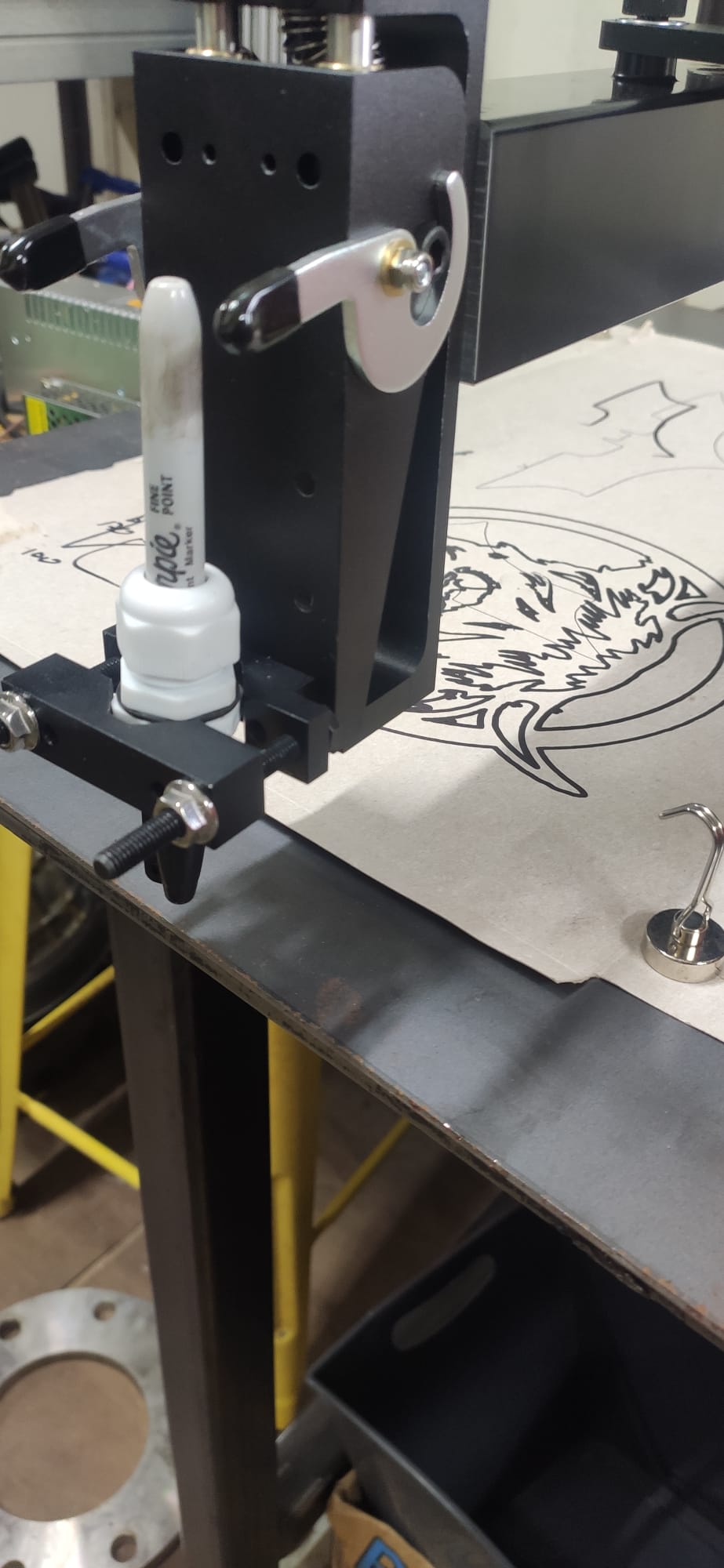
I just picked up my Arcdroid yesterday and Im still getting it setup and familiarising myself with the controls, I’m waiting for a low frequency plasma to arrive, so in the meantime I’ve setup a sharpie and ran some practise files plotting out some test files.
Is there a proper way to set up the height for using a marker?, I’m finding even after levelling, the marker is not contacting the bench at some points of the file, is there a trick in the setup to get the Z height set. Ive had a couple of errors why tying different files - reduce Z clear height
The marker attachment has a specific range of freedom to allow it to float when it contacts the work surface and should not be rigidly clamped as you have it.
Highly recommend the Arcdroid Sharpie attachment. It works very well. Allows the marker to float, has a rigid snout to make surface contact to get the Z height reliably set. The plug in dongle comps the sharpie tip to exactly where the plasma tip would be without any calibration fuss.
Yes we need a better manual that is up to date. The new controller, marker adapter with its plug in, the laser pointer, the best methods to get repeatable calibrations like dry running by hand before you press ok to be sure the stylus doesn’t pop off the calibration sled, the thc, settings, the hidden controller menues and how to find them, a key card for what the icons on the controller mean and do, how to stop and continue, file management, future perloads fonts common brackets, we are well beyond 16 page leaflet.